The AI Analysis Layer
Beyond Checklists
Traditional SEO tools give you a score and a list of warnings. “Missing H1 tag.” “Meta description too long.” Surface-level observations that tell you what’s wrong but rarely synthesize the bigger picture.
I wanted something closer to what a senior SEO consultant would deliver: contextual reasoning about why issues matter and what the business impact is.
A missing Open Graph image is minor for a B2B enterprise site. But for a farm management platform where users discover tools through WhatsApp link sharing? That missing OG image is a critical discovery bottleneck, because WhatsApp renders link previews from OG tags, and a link with no preview gets ignored.
This kind of contextual reasoning is what LLMs are good at.
Structured Output with Zod
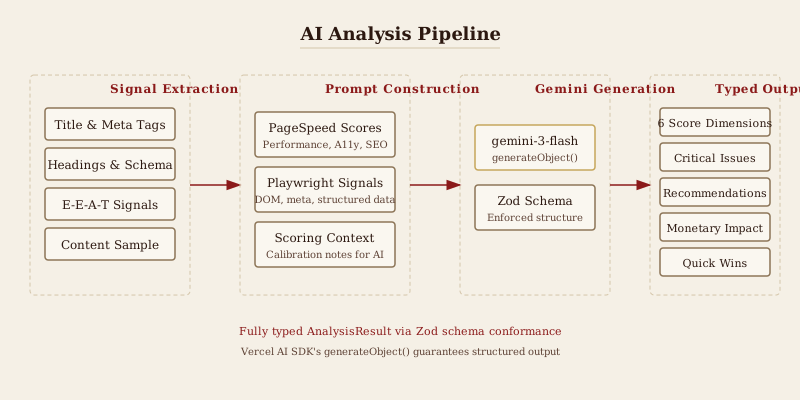
We use Gemini (gemini-3-flash-preview) via the Vercel AI SDK’s generateObject, which guarantees output conforms to a Zod schema. No freeform text, no fragile regex parsing. The model outputs a fully typed JavaScript object.
const analysisSchema = z.object({
  industry: z.string(),
  overallScore: z.number().min(0).max(100),
  scores: z.object({
    technicalSEO: z.number().min(0).max(100),
    onPageSEO: z.number().min(0).max(100),
    geoOptimization: z.number().min(0).max(100),
    aeoOptimization: z.number().min(0).max(100),
    eatSignals: z.number().min(0).max(100),
    socialPresence: z.number().min(0).max(100),
  }),
  grade: z.enum(['A', 'B', 'C', 'D', 'F']),
  summary: z.string(),
  monetaryImpact: z.object({
    estimatedMonthlyLoss: z.number(),
    lossBreakdown: z.array(
      z.object({
        category: z.string(),
        amount: z.number(),
        description: z.string(),
      })
    ),
    methodology: z.string(),
  }),
  criticalIssues: z.array(
    z.object({
      issue: z.string(),
      severity: z.enum(['critical', 'high', 'medium', 'low']),
      impact: z.string(),
      fix: z.string(),
    })
  ),
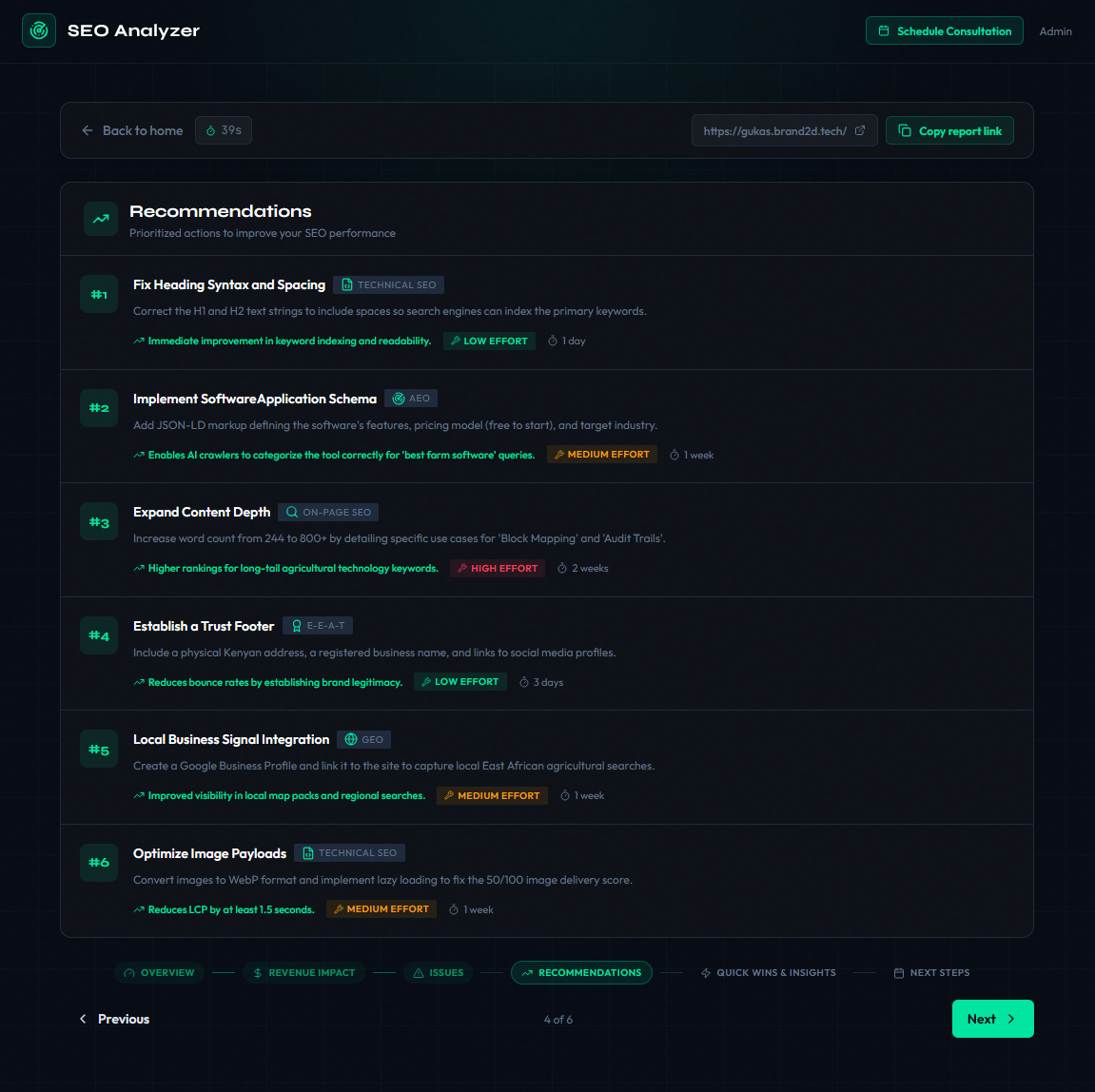
  recommendations: z.array(
    z.object({
      priority: z.number(),
      category: z.enum(['Technical SEO', 'On-Page SEO', 'GEO', 'AEO', 'E-E-A-T', 'Local SEO']),
      title: z.string(),
      description: z.string(),
      expectedImpact: z.string(),
      effort: z.enum(['low', 'medium', 'high']),
      timeframe: z.string(),
    })
  ),
  quickWins: z.array(
    z.object({
      action: z.string(),
      impact: z.string(),
    })
  ),
  competitiveInsights: z.string(),
});
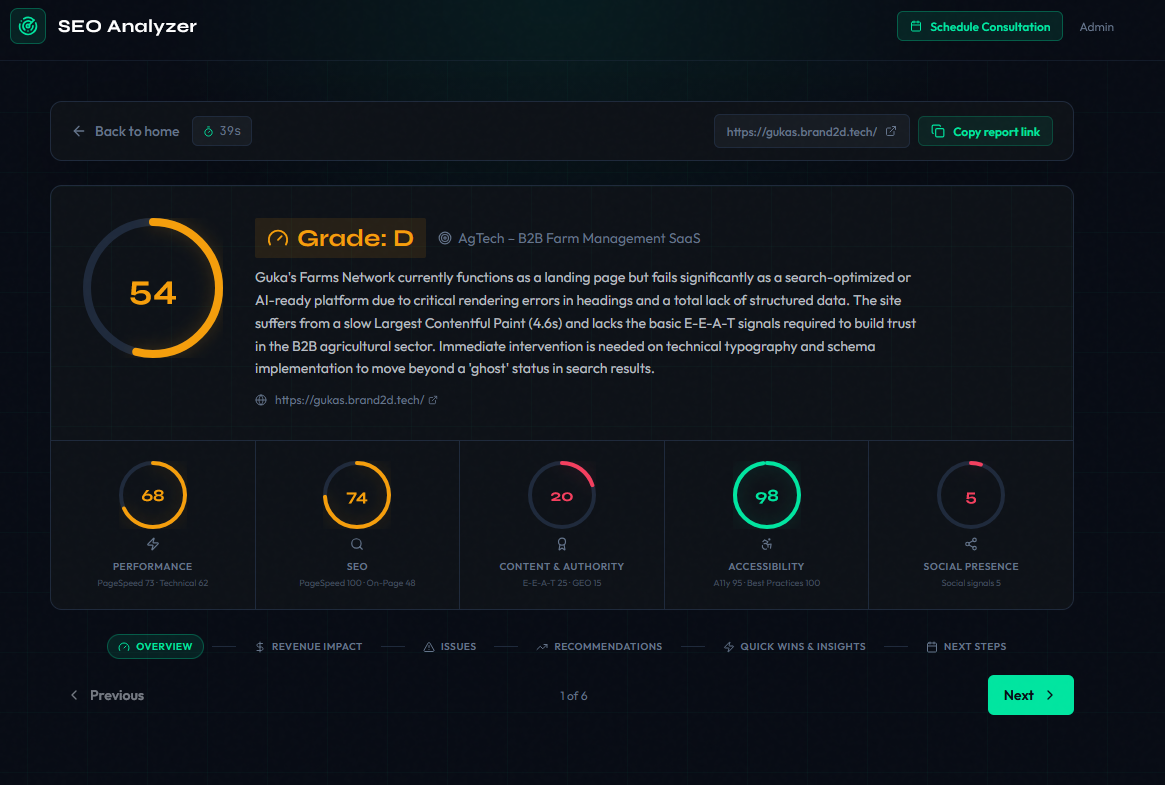
Six scoring dimensions. Monetary impact in KES (Kenyan shillings). Prioritized recommendations with effort estimates. Quick wins for non-technical stakeholders.
The Prompt
The prompt is where the real engineering happens. We construct a structured briefing that mirrors how a consultant would receive information:
const prompt = `You are a senior SEO/GEO/AEO consultant. Analyse this website
and produce a detailed performance report. Score STRICTLY on actual evidence.
All monetary estimates in KES.

URL: ${signals.finalUrl}

## PageSpeed (Google PSI)
Performance: ${scores.performance} Accessibility: ${scores.accessibility}
Best Practices: ${scores.bestPractices} SEO: ${scores.seo}

Scoring notes: Field INP > lab TBT as ground truth. Lighthouse mobile
uses 4x CPU throttle — do not over-penalise lab-only slowness when
visual metrics (LCP/CLS) are healthy.

## On-page signals (Playwright full render)
Title: "${signals.title}" (${signals.titleLength} chars)
H1(${signals.h1Count}): ${JSON.stringify(signals.h1s)}
Schema types: ${signals.schemaTypes.length ? signals.schemaTypes.join(', ') : 'NONE'}

## Content sample (first 2000 chars)
${signals.contentSample}

Deliver: 4-6 critical issues, 6-8 recommendations, 4 quick wins.`;
Key prompt choices:
- “Score STRICTLY on actual evidence” prevents hallucinated issues
- Lighthouse calibration notes stop the model from over-penalizing throttled mobile scores
- Content sample gives enough context to understand purpose and audience without blowing the context window
- Graceful degradation when PageSpeed data is unavailable, the prompt says “Do not treat this as a zero score”
The call:
const { object } = await generateObject({
  model: google('gemini-3-flash-preview'),
  schema: analysisSchema,
  prompt,
});